Select an area or phase
Start with a site location, construction stage or equipment category.
 By Digital Apple
Walk a site, rehearse a site induction or show a contractor how equipment fits into the next phase of work.
Guide clients around the building under construction, from the exposed columns to the curved floor slabs.
Introduce crews to the pipework area. Ask them to identify the task in progress and where colleagues are working nearby.
Use the site layout to discuss how trucks will reach the stockpiles while the materials store stays accessible.
Compare the highlighted floor section with the planned construction sequence.
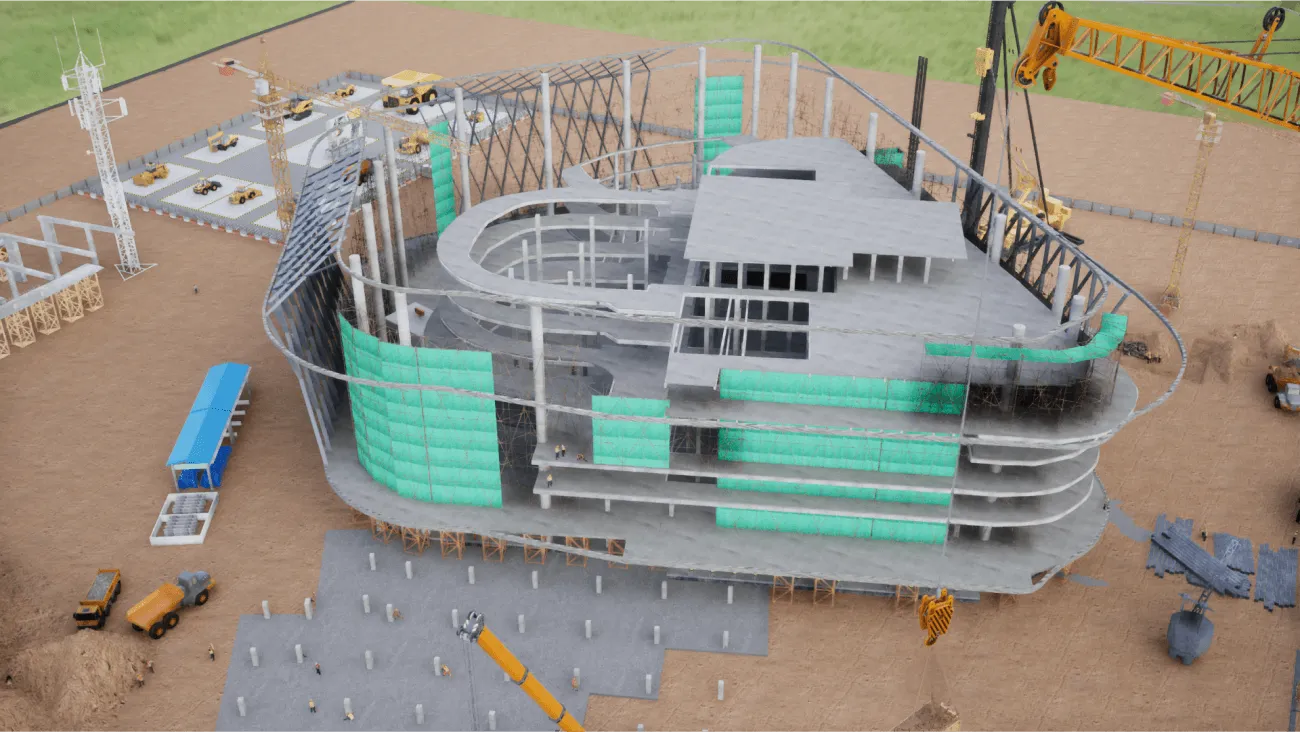
Explain construction equipment, services and technology through a site workflow.
Explore solutionPresent machinery, tools and components with useful technical detail and options.
Explore solutionCreate guided practice for selected site tasks and equipment procedures.
Explore solutionExplore site assets and planned phases, with selected project data where required.
Explore solutionConnect capabilities, project stories and solution demonstrations for clients and partners.
Explore solutionLet buyers view supported equipment or component models in their surroundings.
Explore solutionReview spatial arrangements or practise selected tasks through a headset.
Explore solutionConnect project locations and infrastructure to relevant 3D views.
Explore solutionA client can explore the project, a buyer can inspect equipment and a learner can follow a selected task. Give each audience a clear path into the detail.
Start with a site location, construction stage or equipment category.
Explore the sequence and see how the people, assets and spaces relate.
Open a demonstration, component view or approved technical resource.
Request information, contact a specialist or complete a training activity, where included.
We develop the site, story and interactions together, with reviews from your project, equipment and training specialists.
Agree the audience, site or solution to explain, and what people need to explore or practise.
Assess plans, BIM or CAD files, site references, equipment information and approved procedures. Identify reusable assets and gaps.
Plan the phases, points of interest and interactions. Review a representative area or task with your team.
Create the models, animations and content. Your specialists check the layout, sequence, technical behaviour and claims.
Check on agreed devices and resolve feedback. Confirm hosting, handover, updates and any system connections.
Contractors, developers and project teams can explain sites, planned phases and selected training tasks. Equipment, service and technology providers can demonstrate their solutions in a relevant site setting. Each experience is designed around a defined audience and purpose.
Yes. A guided or self-directed tour can connect site areas, planned spaces and approved progress information. Proposed work is identified in the experience. Your team confirms which details are current and which can be shared.
We assess the files, level of detail and usage rights, then identify what can be reused or adapted for the target devices. Plans, photos, product information and video can also provide a starting point when models are unavailable.
Yes. Models and sequences can explain stages, equipment positions and site movement. Schedule data can be added where suitable sources are available. Engineering analysis or a validated logistics simulation requires its own inputs and agreed scope.
Your training and site specialists define the task, approved procedure and assessment criteria. We translate these into a guided 3D activity with decisions and feedback. Your organisation defines how the activity supports its wider training and competency requirements.
Yes. Equipment models can include component views, animations, approved options and technical resources. Your product specialists review the details and operating sequence. The model and interactions are scoped around what buyers need to understand.
Examples can show progress observations being compared with a planned sequence, equipment trends being reviewed or approved drawings being retrieved. We make the sources, suggested output and human review clear. Your team validates the behaviour; an operational AI connection is scoped separately.
Where suitable systems and access are available, selected project or asset information can be connected to the relevant 3D location. We agree the sources, refresh needs and access controls. Tours and demonstrations can also use approved sample information.
No. Tours and demonstrations can run in a web browser. VR is an option for selected spatial reviews and training activities. We agree computer, tablet, mobile and headset support around the intended use.
Your specialists review the layout, models, sequences and content during development. We agree what can be public and what needs restricted access. Confidential plans or project records can be simplified or replaced with approved sample material.
The main factors are the site size, modelling detail, content, interactions and integrations. We review the brief and provide deliverables, pricing and timing. Hosting, phase revisions, equipment updates and engagement or training reporting are agreed as part of the project.