Choose a space or story
Start with a venue area, product category or guided introduction.
 By Digital Apple
Tour a venue, plan an event or show how production teams find, review and distribute content.
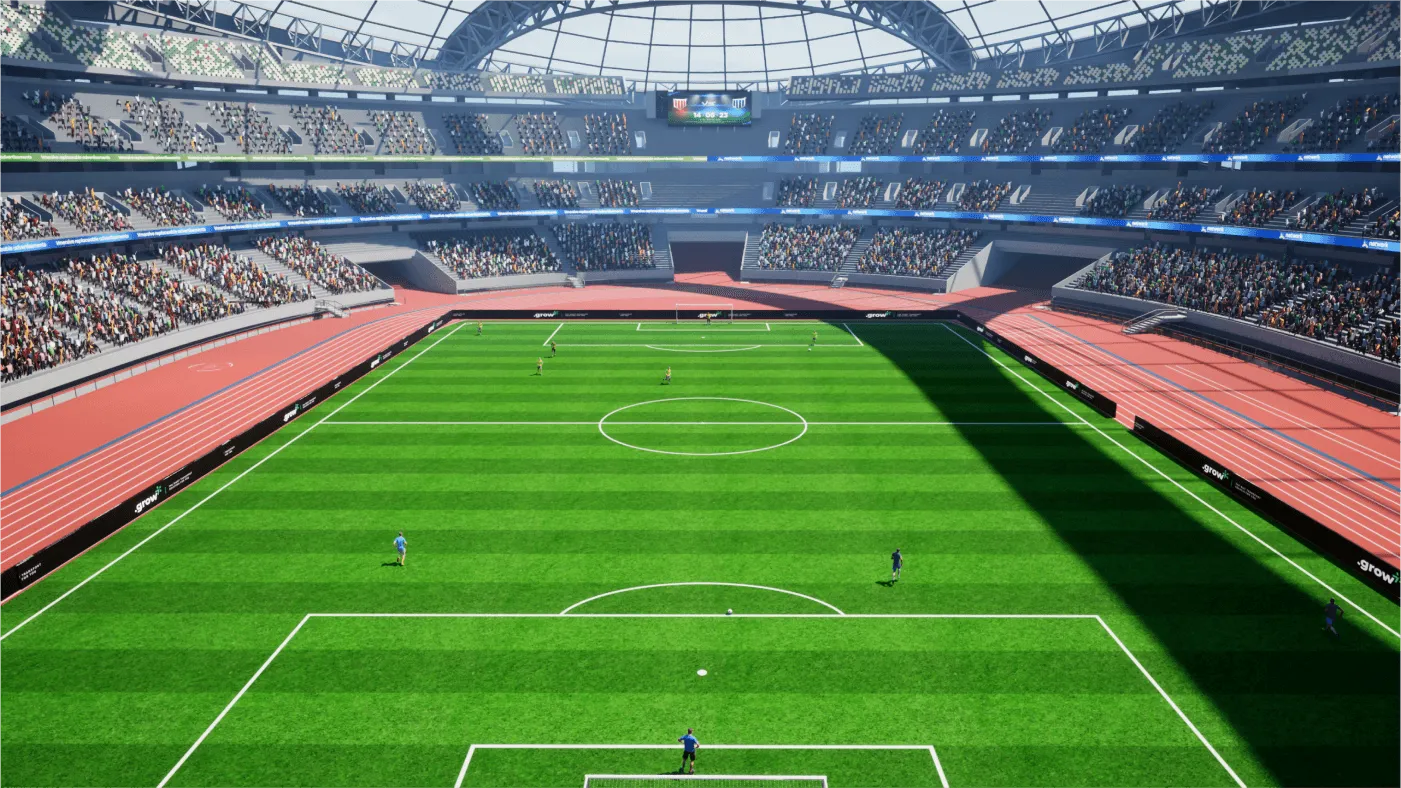
Let advertisers, promoters and production teams explore stadiums, circuits and studios. Show viewing positions, facilities and sponsorship locations before buyers visit.
Give crews a place to practise equipment checks, production cues and handovers. Recreate the studio or set and build feedback around the tasks they need to get right.
Compare seating, camera positions and sponsor placements in a shared 3D venue. Use the model to review sightlines and discuss changes with the delivery team.
Find candidate clips in source footage and review their context before adding them to an edit.
Explain production workflows, venue technology and services through interactive demonstrations.
Explore solutionPresent equipment, advertising formats and venue products in their intended setting.
Explore solutionHelp crews practise selected equipment tasks and production handoffs with feedback.
Explore solutionReview a venue or studio layout, with connected information where useful.
Explore solutionBring facilities, services and technology stories together for clients and partners.
Explore solutionLet buyers view supported equipment or display models in their own space.
Explore solutionExplore spatial arrangements and selected training activities through a headset.
Explore solutionConnect venues and facilities on a map with relevant 3D experiences.
Explore solutionA client can explore a venue, a partner can examine a placement and a crew member can follow a task. Each journey makes the relevant detail easy to find.
Start with a venue area, product category or guided introduction.
Move through the space and see how equipment, placements and people relate.
Inspect a model, follow a workflow or view the supporting specifications.
Request a proposal, contact a specialist or complete a training task, where included.
We develop the space, story and interactions together, with input from the people who know your facilities, production or technology.
Agree who will use the experience and what they need to explore, compare or practise.
Review venue layouts, equipment information, footage and existing models. Confirm which content is approved for use.
Plan the spaces, demonstrations and interactions. Review a representative section before building the wider experience.
Create the models, animation and content, with reviews from your venue, production or product specialists.
Check the experience on agreed devices, resolve feedback and prepare the handover. Confirm hosting, updates and support.
Venue owners, broadcasters, production companies and event teams can use it to explain facilities, plan spaces and introduce workflows. Equipment, service and technology providers can demonstrate their offer in context. Advertising teams can show placements and formats within a venue.
Yes. A virtual tour can guide clients through relevant spaces and let them explore specific areas. We can include viewing positions, facility information and supporting media. The level of detail depends on the questions the tour needs to answer.
Yes. Partners can explore where a display or format appears and open approved specifications or example creative. Availability, pricing and booking functions can be included where suitable data and systems are available. The 3D view alone does not estimate reach or commercial results.
Yes. Equipment models, animations and interactive sequences can explain a product or a workflow across several systems. Your specialists review the technical behaviour and content. A demonstration can use sample information; operating live equipment requires a separate integration.
Examples include finding candidate clips, preparing draft captions and matching an advertising brief to available placements. We show the source information, suggested output and human review. Your team validates the behaviour; connecting an operational AI service is agreed separately.
A model can give teams a shared view of layouts, equipment positions and proposed changes. The required dimensions and detail are agreed at the start. Specialist analysis, such as acoustics, sightline calculations or crowd simulation, needs its own validated inputs and scope.
Crews can follow equipment introductions, practise selected tasks and work through handoffs between roles. Your team supplies the approved workflow and assessment criteria. We design the decisions and feedback around those learning objectives.
Share your brief and whatever references you have: venue plans, photos, equipment details, video or existing 3D models. We can create the models and content required. Your team confirms permission to use footage, branding, talent and other supplied material.
No. Tours, showrooms and demonstrations can run in a web browser. VR is an option when spatial immersion helps a review or training task. We agree computer, tablet, mobile and headset support around the intended audience.
We can scope restricted access and selected system connections with your team. Public demonstrations can use approved sample content. Live feeds, asset libraries or inventory systems require suitable interfaces, permissions and agreed access controls.
The main factors are the spaces, models, content, interactions and integrations required. After reviewing the brief, we provide deliverables, pricing and timing. Reporting can track relevant actions such as venue views, placement enquiries, resource opens or training completion.