Choose a space or service
Start with a destination, room category, venue or guided story.
 By Digital Apple
Build interactive 3D experiences that help guests choose a property, prepare passengers for travel and give project teams a shared view of proposed changes. Technology providers can demonstrate their products in the environments where buyers will use them.
Help guests choose where to stay and event planners shortlist venues. Let them explore room categories, amenities and event spaces before booking or arranging a visit.
Help travellers prepare for unfamiliar terminals. Let them explore the route from arrival to check-in and find assistance points before they travel.
Give operators, designers and partners a shared model for reviewing proposed layouts. Compare entrances, circulation and access to services before committing to a design.
Let staff practise handling guest requests, coordinating handovers and recovering from service problems. Build scenarios around your standards and give learners feedback on their choices.
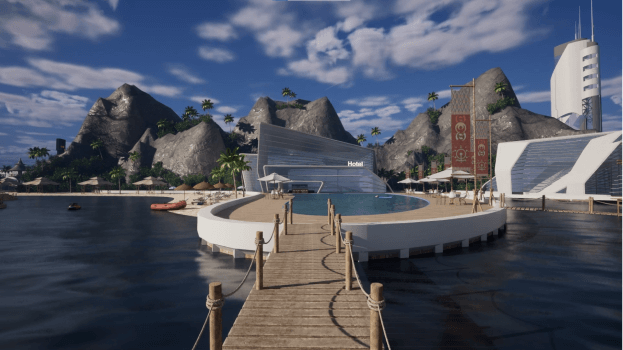
Explain products, services and technology through an interactive guest or staff journey.
Explore solutionPresent room equipment, furnishings and hospitality products in the setting where they are used.
Explore solutionHelp staff practise selected service interactions and operational tasks with feedback.
Explore solutionExplore facility layouts and workflows, adding selected operational information where needed.
Explore solutionConnect destinations, capabilities and technology demonstrations for guests, clients or partners.
Explore solutionLet buyers view supported furnishings or equipment models in their own surroundings.
Explore solutionReview spatial arrangements or practise selected service tasks through a headset.
Explore solutionConnect destinations, properties and amenities to relevant 3D experiences.
Explore solutionA guest can explore a room, an event buyer can inspect a venue and a staff member can practise a task. Give each audience a useful route through the experience.
Start with a destination, room category, venue or guided story.
Move through relevant spaces and see how the facilities connect.
Open approved room details, product views or service demonstrations.
Follow a booking link, request a discussion or complete a training activity, where included.
We develop the environment, content and interactions with reviews from your property, service, training and technology specialists.
Agree the audience, spaces or solution to show, and the information or practice the experience needs to provide.
Assess layouts, room or venue information, product details and existing models. Confirm approved options and source content.
Design navigation, points of interest and interactions. Review a representative room, area or workflow with your team.
Develop the models, animation and content. Your specialists check the facilities, branding, service sequence and claims.
Check on agreed devices and resolve feedback. Confirm hosting, access, integrations, reporting and future updates.
Hotels, travel brands, venue teams and destination organisations can introduce spaces and services. Product and technology providers can demonstrate their offer in a relevant hotel or airport setting. Staff teams can use selected activities for onboarding and practice.
Yes. A guided or self-directed experience can show selected spaces, amenities and approved options. We agree the detail needed for the audience and include relevant information or onward links. Proposed spaces and variants are identified clearly.
Links can lead to existing booking or enquiry pages. Live availability, rates, reservation functions and other system connections require suitable interfaces and a separate integration scope. A preview can also work without an embedded booking flow.
Yes. Models can present approved layouts, room arrangements and facility information. Your team confirms dimensions and the options available. Specialist capacity, accessibility or operational analysis requires its own validated inputs and scope.
Teams can practise selected service interactions and operational tasks with decisions and feedback. Your specialists define the approved procedures and assessment criteria. We design the activity around those objectives and its role within your training programme.
Yes. Equipment, kiosks, room controls and service platforms can be explained through the guest or staff journey they support. Your specialists review product behaviour and content. Connecting real equipment or operational systems is scoped separately.
Examples include retrieving approved guest information, reviewing queue patterns and investigating booking-demand trends. We show the sources, suggested output and human review. Your team validates the behaviour; connecting a working AI service requires an agreed integration.
Share your brief and available references, such as plans, property photos, room information, product details or existing models. We can create the models and content needed. Your team confirms which branding, images and other material may be used.
We agree what can be shown publicly and what requires restricted access. Public demonstrations can use approved sample information. Live guest, reservation or commercial data is included only where required within an agreed integration and access scope.
No. Tours and demonstrations can run in a web browser. VR is an option for selected spatial reviews and training activities. We agree computer, tablet, mobile and headset support around how the audience will use the experience.
The main factors are the spaces, model detail, variants, content, interactions and connections required. We review the brief and provide deliverables, pricing and timing. Property changes, hosting and reporting are agreed before launch; measures can include room views, booking-link clicks, enquiries or training results.