Select an area
Start with a site location, equipment category or guided introduction.
 By Digital Apple
Tour a mine, practise equipment checks or demonstrate how technology supports a maintenance decision.
Give customers and partners guided access to surface facilities and underground areas. Show the operation, site layout and safety practices relevant to their visit.
Let operators practise equipment checks, underground procedures and emergency decisions in a simulated mine. Build feedback around the procedures your site teams approve.
Review shaft layouts, haul routes and charging locations in a shared 3D model. Compare options for a site expansion or a change in fleet.
Compare a change in vibration with the machine’s recent readings before scheduling an inspection.
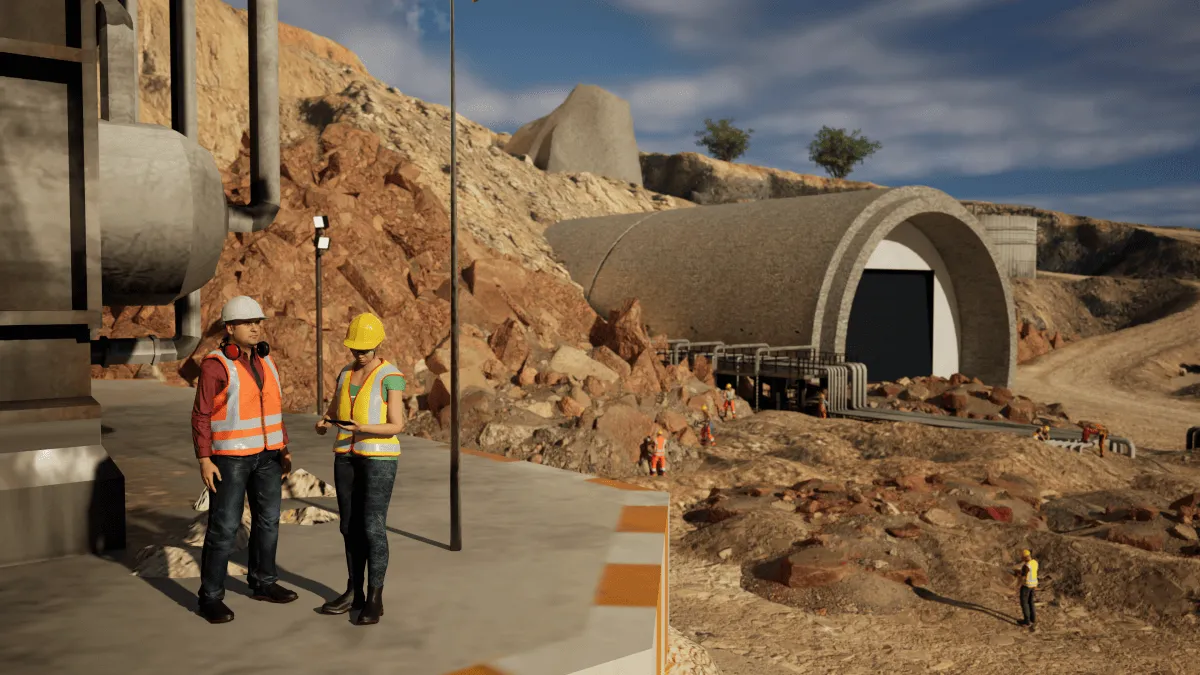
Explain mining equipment, services and technology through a workflow people can explore.
Explore solutionPresent machinery and components at useful scale, with technical detail beside each model.
Explore solutionBuild equipment and workplace practice around your approved procedures and learning objectives.
Explore solutionExplore mine assets and proposed changes, with data connections where required.
Explore solutionBring your mining capabilities, product range and innovation stories into one destination.
Explore solutionLet customers view supported equipment or component models in their own surroundings.
Explore solutionUse spatial immersion for selected equipment reviews and training activities.
Explore solutionConnect mine locations, facilities and infrastructure to relevant 3D views.
Explore solutionGive each audience a clear starting point. A stakeholder can explore the site, a buyer can examine a solution and a learner can work through a task.
Start with a site location, equipment category or guided introduction.
See how equipment, people and information connect across the selected workflow.
Inspect a component, open an animation or explore approved technical content.
Request information, contact a specialist or complete a training activity, where included.
We bring the environment, technical story and interactions together, with reviews from the people who know your operation or solution.
Agree who the experience serves, what they need to understand or practise, and how you will judge its usefulness.
Assess site references, layouts, equipment information and existing models. Identify what can be reused and what needs creating.
Define the route through the environment, key explanations and interactions. Review a representative section with your team.
Develop the models, animations and content. Your operations, product and training specialists review the relevant details.
Check the experience on agreed devices and resolve feedback. Confirm hosting, handover, maintenance and content updates.
Mine operators can explain facilities, introduce equipment and create workforce training. Equipment, service and technology providers can demonstrate their solutions in a relevant mining environment. The content and interactions are shaped around the audience and purpose.
An idea, site photos, drawings, equipment information or video can be enough for an initial discussion. Existing CAD and 3D models may help. We review the available material with you and define the modelling and content needed.
Both are possible. An actual-site model suits projects where layout and equipment placement matter. A representative environment can explain a product or workflow without reproducing an entire site. Surface and underground areas can be scoped separately or connected.
Yes. An experience can combine equipment models, component views, animations and technical resources. We agree the level of detail and interactions around the questions buyers need answered. Your product specialists review the model and operating sequence.
Your training and operations specialists define the task, approved procedure and feedback. We translate these into a 3D activity with the agreed decisions and assessment. The experience supports your training programme; your organisation defines competency requirements and how the activity is used.
Yes. Examples can show an equipment trend being flagged, operational readings being reviewed or an approved document being retrieved. We make the inputs, output and human review clear. Your team validates the solution behaviour; a working AI service requires a separately agreed connection.
Where suitable source systems and access are available, selected readings or asset information can be connected to the relevant 3D location. We define the data, refresh requirements and access controls with your team. A model alone does not provide forecasting or a validated simulation.
No. Tours and demonstrations can run in a web browser. A headset may suit activities where scale, orientation or spatial practice matters. We agree computer, mobile, tablet and headset support around how the experience will be used.
Your specialists approve the site references, equipment behaviour and content during development. We agree what can be public and what requires restricted access. Sensitive layouts or operational information can be simplified or replaced with approved sample material.
The main factors are the size and detail of the environment, equipment models, content, interactions and integrations. Existing assets can reduce some production work when they are suitable. We review your brief and provide a proposal with deliverables, pricing and timing.
Suitable models and environments can support several activities, with content adapted for sales, events or training. Measures can include equipment views, resource opens and enquiries, or training completion and assessment results. We agree reporting around each use.